
ZeeMee
ZeeMeeSocial
4.5372.00 Reviews
- Version
- 6.0.3
- Installs
- 100.00K
- Age Rating
- Teen
Screenshots
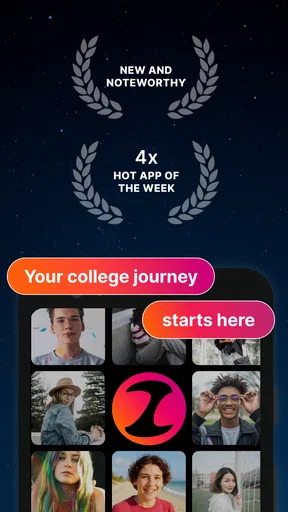
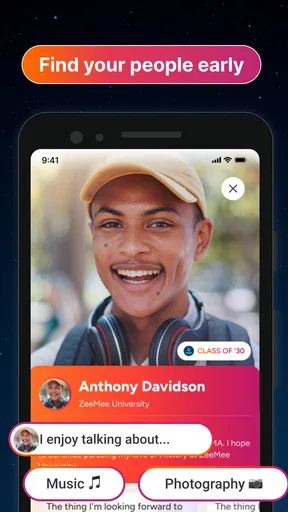
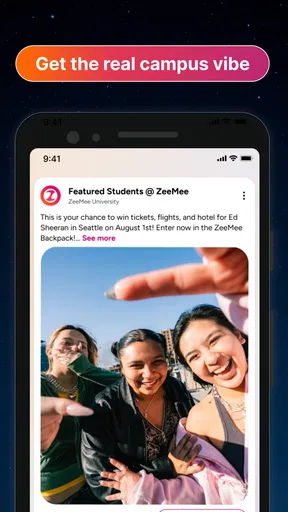
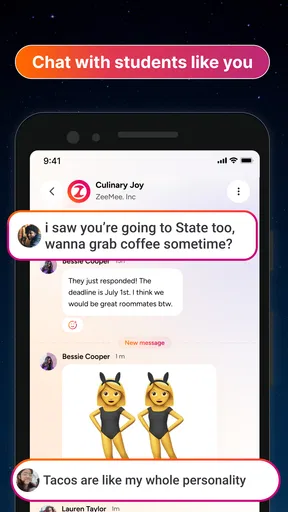
Our Review of ZeeMee
 Analysis by Appyee
Choosing a college is no longer only about comparing courses, tuition, and campus photos. For many students, the harder question is whether they can picture themselves belonging there. ZeeMee approaches that problem as a social app built around college discovery and student connection. I found it most useful when I treated it less like a traditional information directory and more like a place to observe how prospective students communicate, ask questions, and make early connections.
The app is free, aimed at a Teen audience, and developed by ZeeMee. Its focus is narrow in a helpful way: it is not trying to become a general-purpose social network for every part of life. Instead, it puts the college search and the social side of that decision close together. That makes it especially interesting for students who want more than official admissions material before deciding where to apply or enroll.
How I used ZeeMee for a more realistic college search
I use ZeeMee as one part of a college search, not as a verdict on where to go. In this section, I’ll show how to turn a quick browse into a more realistic picture: collect student perspectives, note what remains uncertain, and carry those questions into an official conversation or campus visit. That gives the social side of the search a practical purpose.
A practical starting workflow
My first recommendation is to begin with a clear purpose rather than scrolling without a plan. I would use the app while researching a short list of colleges, checking what conversations are active, and looking for the kinds of questions students ask when they are trying to understand daily campus life. That approach makes the social feed more useful than treating it as an endless stream of posts.
The first pass should be observational. Notice whether discussions are focused on academics, housing, activities, orientation, admissions, or simply meeting people. The tone can tell you something that a polished university page usually cannot: what prospective students are worried about, what they are excited about, and which practical details keep coming up.
I would then save the names of people or conversations that seem relevant to your situation. For example, a student comparing two colleges might look for conversations from people interested in the same subject, living in a similar area, or starting in the same intake period. The useful habit is to turn vague browsing into a small research trail you can revisit when questions become more specific.
That does not mean treating every comment as an official answer. Student conversations are valuable for perspective, but they are still personal experiences. I use them to identify questions and patterns, then verify important admissions, financial, housing, or academic details through the college itself. The best workflow combines peer context with official confirmation, rather than replacing one with the other.
Where the social angle helps most
The strongest part of this app is the moment before a student feels comfortable asking a direct question. A prospective student may hesitate to contact a university department about a small concern, yet feel more willing to ask peers how they handled it. That can make the transition from “I am considering this college” to “I can imagine attending this college” feel more manageable.
A realistic everyday scenario would be a student who has narrowed the choice to two campuses. During a short evening session, they could review conversations related to both schools, note recurring questions about student life, and write down which answers need confirmation from admissions. The next day, they can use that list during a campus tour, virtual event, or formal conversation. The app becomes a preparation tool instead of a distraction.
It can also help students who are anxious about arriving without knowing anyone. Looking at how other students introduce themselves and what they are asking may make it easier to start a conversation. I would not expect the app alone to create a complete friend group, but it can lower the awkwardness of the first step, particularly for students who prefer a shared college context over a completely open social network.
What makes it different from the usual alternatives
General social platforms are broader and often noisier. They may be excellent for keeping up with friends, but college-related posts can disappear among entertainment, personal updates, and unrelated recommendations. A conventional college website has the opposite weakness: it is organized and authoritative, but it usually presents the institution rather than the student experience.
ZeeMee sits between those two options. Its value comes from combining a college-centered setting with conversations that feel more informal than official communications. That combination is useful when you want to understand the social atmosphere around a school, not just read its published claims.
There is a trade-off, though. A focused community is only as useful as the activity and relevance of the conversations you encounter. If you want a broad social network, private messaging with an established friend group, or a complete academic research database, another app or service may suit you better. I see this as a companion to college research, not a universal replacement for every tool a student needs.
Settings and habits worth checking early
Before becoming active, I would review the account and notification settings carefully. Social apps can become tiring when every new interaction demands attention, especially during exams or application deadlines. Keeping only the alerts that help you respond to meaningful conversations makes the experience calmer and prevents the college search from taking over the day.
I would also think about what information belongs on a public-facing student profile. A college-focused community can encourage people to share their interests, plans, and questions, but there is no advantage in posting sensitive personal details simply to appear approachable. A short introduction about your intended field, interests, or the kind of campus experience you are seeking is usually more useful than a detailed personal biography.
Another worthwhile check is whether your profile communicates what you actually want from the app. Someone looking for future classmates should say so clearly. Someone comparing colleges may get better responses by mentioning the specific decision they are working through. This small amount of context helps other users decide whether they can offer a useful answer.
I would revisit these choices as the college process changes. A profile written while exploring options may need a different emphasis after enrollment is decided. Moving from prospective student to incoming student changes the conversations that matter, and keeping your information current makes interactions less confusing.
Faster patterns for repeat use
Experienced use is less about spending more time in the app and more about returning with a repeatable routine. I would divide sessions into three purposes: discovery, questions, and follow-up. During discovery, I would read and compare. During questions, I would ask one focused thing rather than several unrelated questions. During follow-up, I would check whether an answer has changed my next action.
This structure prevents a common problem with social research: collecting impressions without making decisions. If a conversation reveals a concern about housing, write that concern down and identify the official source that can answer it. If a student describes a helpful campus activity, note whether it matches your own priorities. The app is most valuable when each session produces a clearer next step.
Short, specific questions also tend to be better than broad requests for opinions. Instead of asking whether a college is “good,” I would ask about the particular experience I am trying to understand. That could involve adjusting to campus life, finding communities, or comparing the feel of two choices. Specific questions invite more useful personal answers and make it easier to separate experience from speculation.
Another efficient habit is to compare several perspectives before forming an opinion. One enthusiastic post can be encouraging, but it should not decide a major life choice. I would look for recurring themes, notice where experiences differ, and pay attention to whether a comment describes a personal preference or a general condition. This is one of the app’s less obvious skills: it rewards careful reading more than rapid scrolling.
Using conversations without losing perspective
Social proof can be powerful during college selection, but it can also distort judgment. Students who post frequently are not necessarily representative of everyone on campus. A very active conversation may reflect a temporary concern or a particularly vocal group. I try to treat the community as a window, not a complete map.
This matters especially when comparing colleges with different sizes, locations, or student cultures. A lively discussion does not automatically mean a better environment, just as a quiet space does not prove that students are unhappy. The app can show how people communicate in a particular moment, but it cannot measure every part of campus life.
I also recommend separating emotional reassurance from factual guidance. It is perfectly reasonable to use peer conversations to feel less alone, but decisions about deadlines, eligibility, accommodation, costs, or academic requirements deserve confirmation from an official source. That distinction lets the social side remain helpful without asking it to do a job it was not designed to do.
Advanced limits and points of friction
The main limitation is that social discovery can become repetitive or overwhelming. Students may encounter similar introductions, broad questions, or conversations that do not apply to their own circumstances. The answer is not to assume the app has failed immediately; it is to narrow your purpose, improve the questions you ask, and leave when the session stops producing useful information.
There is also a natural privacy tension. The more openly people share, the easier it can be to find common ground. At the same time, students are still learning how visible their online identity should be. I would avoid treating a college-centered setting as automatically private. Think before sharing contact details, schedules, travel plans, or anything that could identify your routine.
Another limitation is that peer advice can be inconsistent. Two students may describe the same college very differently because their expectations, courses, finances, or social circles are different. I consider that variation useful rather than frustrating, but only when I read it as context. If you need a single definitive answer, an official college channel or a specialist service will usually be more appropriate.
The app may also be a poor fit for people who dislike social interaction during stressful decisions. If you would rather compare structured facts privately, a college database, spreadsheet, or official admissions material may feel more efficient. ZeeMee is strongest when the human side of the decision matters to you and you are willing to evaluate informal information thoughtfully.
Who will get the most from it
I would recommend it to prospective students who want to understand the atmosphere around a college before committing. It is particularly suitable for people who have questions about belonging, meeting peers, or seeing how other students approach the same transition. Families may also find it useful as a conversation starter, although I would encourage parents to let the student lead the social experience.
It can be helpful for students who are moving far from home or entering college without an existing local network. Seeing familiar concerns from other students can make the process feel less abstract. It is also useful for someone who has already chosen a college but wants to prepare socially before arrival.
I would skip it, or at least treat it as optional, if your only goal is official course information, formal application tracking, or a private messaging tool for people you already know. Those needs are better served elsewhere. The app earns its place when you want student-centered context and are prepared to distinguish personal impressions from confirmed facts.
Compatibility and everyday practicality
The Android release is listed as version 6.0.3 and requires Android 8.0 or later, so anyone using an older device should check compatibility before planning around it. On supported phones, the free price makes trying it low risk, though the real cost is attention: like any social product, it can consume time if you open it without a specific reason.
The app carries a Teen content rating, which fits its college-oriented audience while still making sensible privacy habits important. I would speak with younger users about public profiles, personal information, and how to handle advice from strangers or acquaintances online. A social college tool should support confidence, not pressure users into sharing more than they want.
Its audience is established enough to make the idea credible, with over one hundred thousand installs and an average rating of 4.5 from around two thousand six hundred ratings. Those figures suggest that many users find the concept worthwhile, but they should not replace your own judgment about whether the available conversations match your goals.
My verdict after building a repeatable routine
What I like most is the way ZeeMee can fill the gap between an official college presentation and the uncertainty a student feels afterward. It gives questions a social setting and can make the transition feel less solitary. Used with a short research plan, careful profile choices, focused questions, and official fact-checking, it becomes more useful than casual browsing.
What I would not do is rely on it as the final authority on a college or use it as a substitute for real admissions guidance. Its strength is perspective, not certainty. The best results come from comparing several voices, protecting your privacy, and turning conversations into specific follow-up actions.
With around three hundred seventy reviews alongside its broader rating activity, the app has a modest but visible track record, and its free access makes experimentation straightforward. My final recommendation is therefore conditional but positive: try it if the social side of choosing a college matters to you, especially when you want to meet potential peers or understand everyday concerns. If you prefer a strictly factual, quiet research process, stick with official resources and structured comparison tools instead.
For me, the deciding factor is whether I open it with a question in mind. When I do, the app can make college research feel more human and help me prepare for conversations I might otherwise avoid. When I open it only to scroll, its value drops quickly. That is the clearest lesson from using it: ZeeMee works best as a focused bridge between researching a college and beginning to feel part of its community.
Verdict
Strengths of ZeeMee
- Helps students discover colleges and connect with potential classmates.
- Offers group chats and communities organized around schools and interests.
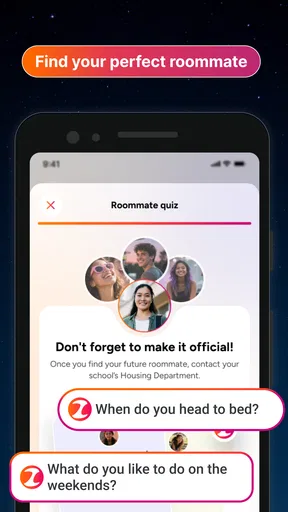
- Profiles can make it easier to find roommates before moving to campus.
- Provides a more social, informal look at college life and campus culture.
- Free to download and useful for comparing student experiences.
Limitations of ZeeMee
- Some communities may feel inactive outside peak admissions periods.
- Requires personal information, so privacy settings need careful attention.
- User-generated posts can be inaccurate or overly promotional.
- Notifications and chats may become distracting or overwhelming.
- The app is most useful for students already considering participating colleges.
Similar Picks in This Category
View All
Meta Platforms, Inc.4.6

Instagram4.0

Likee-Live, Chat & Party Games
Likeme Pte. Ltd.4.4

Facebook Lite
Meta Platforms, Inc.4.5

TikTok - Videos, Shop & LIVE
TikTok Pte. Ltd.4.0

Moj: Free Short Drama & Reels
ShareChat4.1
Frequently Asked Questions
What is ZeeMee, and who is it designed for?
ZeeMee is a social app created mainly for students exploring colleges and preparing for campus life. It allows users to discover schools, connect with prospective classmates, join college-related communities, and communicate through posts, chats, and events. It is especially useful for high school students, applicants, and incoming freshmen who want a more personal view of campus culture before enrolling.
Can I use ZeeMee to connect with current students and future classmates?
Yes. One of ZeeMee’s main purposes is helping prospective students meet people connected with colleges they are considering. Depending on the school and available communities, you may find current students, admissions representatives, student ambassadors, and other applicants. You can participate in conversations, ask questions, and look for classmates, although the quality and activity level may vary from one college community to another.
Is ZeeMee safe for teenagers and younger students?
ZeeMee includes features intended to support student communities, but users should still apply normal social-media safety practices. Avoid sharing private information such as your home address, passwords, financial details, or precise daily location. Review privacy settings, block or report suspicious accounts, and be cautious when communicating with strangers. Parents and guardians may also want to discuss responsible use with younger students.
Does ZeeMee provide official college admissions information?
ZeeMee can include college profiles, announcements, events, and content from schools or student representatives, making it a helpful discovery and communication tool. However, it should not be treated as the only source for application deadlines, admission requirements, tuition costs, scholarships, or enrollment policies. Always confirm important details on the college’s official website or by contacting its admissions office directly.
Is ZeeMee free to download, and are there any costs or requirements?
ZeeMee is generally available as a free download for supported Android and iOS devices, allowing users to create an account and explore participating college communities. Some features, content, or community access may depend on eligibility, school participation, age requirements, or account verification. App availability and policies can change, so check the current store listing and ZeeMee’s terms before signing up.
